How to spot a phishing message before you click
Phishing rushes you into a mistake. Tells: fake urgency, a sender that is not who it claims, a link that does not match, and any request for a password or code.
Phishing is the oldest trick in computing and still one of the most common and effective, because it does not break your software — it talks you into opening the door. A phishing message pretends to be someone you trust: a bank, a delivery company, a coworker, a government agency, or a service you already use. Its only job is to get you to click a link, open a file, or hand over a secret.
You do not need to be a security expert to beat it. You need to know the four tells, and you need to slow down for ten seconds.
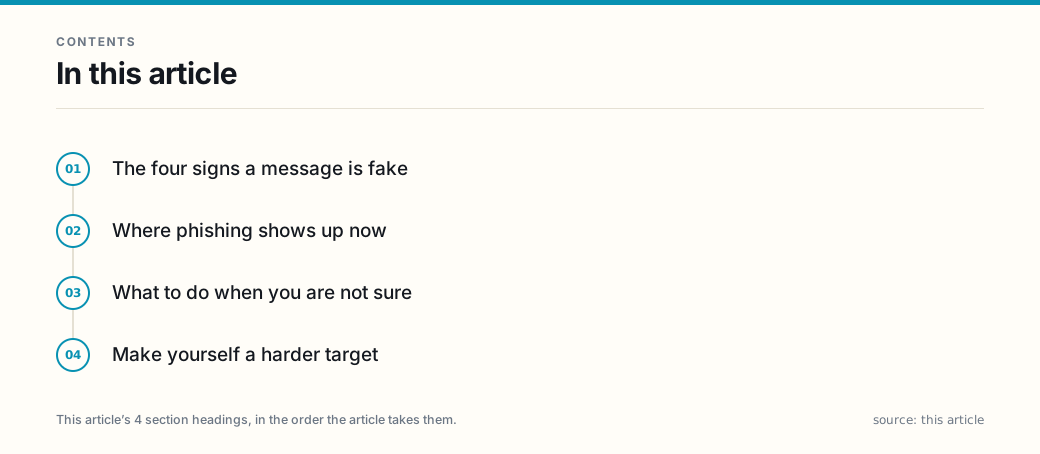
The four signs a message is fake
1. It creates urgency. “Your account will be closed in 24 hours.” “Unusual sign-in detected — confirm now.” “Your package is held; pay a fee to release it.” Scammers manufacture panic because panic skips the part of your brain that checks details. Real organizations send routine notices; they rarely threaten instant disaster over a single email or text.
2. The sender is not who it claims to be. The display name can say anything — “Apple Support,” “IRS,” “Your Bank.” What matters is the actual address behind it. On a computer, hover over the name to reveal the true sender. Look for subtle swaps: micros0ft.com with a zero, amaz0n-secure.net, a Gmail address pretending to be a corporation. A legitimate company sends from its own domain.
3. The link does not match. This is the single most reliable check. On desktop, hover any button to see the destination URL. On mobile, long-press it. If the link says “Verify” but points to secure-login-zz.com, it is fake — regardless of how polished the page looks once you arrive. Real companies use their own domains, and domains like paypal.com are safe while paypa1.com is not.
4. It asks for a secret. No bank, tax agency, or employer will ask for your password, PIN, or one-time code by email, text, or phone. If a message requests the code that was just texted to you, that is almost always a thief trying to finish a login on your account.
Where phishing shows up now
- Email remains the most common channel — fake invoices, password “expiry” warnings, and impersonated bosses asking for a quick wire.
- Smishing (SMS phishing) is rising fast: fake delivery notices, toll-booth fines, and “your account is locked” texts with a link. The same link-checking rule applies.
- QR-code phishing prints a legitimate-looking code that opens a malicious site. Do not scan a code from an unexpected flyer, email, or package label without asking why.
- Deepfake voice and video can imitate a manager or family member asking for urgent help. If a call pressures you to move money or share codes, hang up and call the person back on a known number.
What to do when you are not sure
The safe path is always the same: leave the message, and open the real app or website yourself.
Do not use the link or phone number in the message. Log in through the app you already trust, or type the company’s web address into your browser. If there really is a problem, it will be visible there. This single habit defeats nearly every phishing attempt, because the scam only works if you step onto its path.
If you already clicked and typed a password, treat it as a live breach: change that password from a clean device, enable the strongest two-factor you can (a passkey or security key beats an app code), and notify the company through its real support channel. If the same password is used on other sites, change those too.
Make yourself a harder target
- Turn on app-based or passkey two-factor everywhere it is offered. A texted code can be intercepted or relayed; a passkey cannot be handed over to a fake page. Our two-factor guide ranks every method.
- Avoid logging into sensitive accounts on public Wi-Fi without a connection you trust — see public Wi-Fi safety.
- If a breach happens, our what-to-do-after-a-data-breach checklist walks through the next steps, and a credit freeze vs. fraud alert explainer shows how to lock down identity theft risk.
- Report phishing: forward suspicious email to the Anti-Phishing Working Group at
reportphishing@apwg.org, and file a complaint with the FTC atReportFraud.ftc.gov.
Phishing is relentless because it is cheap to send. The defense is cheap too: ten seconds of checking the link, and a rule of never using the contact details inside a message you did not start.
Frequently asked questions
- What is the fastest way to tell if an email is phishing?
- Slow down and check the link, not the display name. On a desktop, hover the button to see the real destination; on mobile, long-press it. If the address does not match the company's real domain, it is fake — no matter how convincing the logo looks.
- Is it safe to open a phishing email if I do not click anything?
- Opening a modern email in a preview pane is usually low risk, because images and scripts are often blocked by default. The danger is in the action: clicking the link, downloading the attachment, or replying with information. If you opened it by accident, do not click — just delete and report it as junk.
- A text from my bank says there is a problem with my account. What should I do?
- Do not use the link or number in the message. Open your bank's app or type the bank's web address into your browser yourself, or call the number printed on your card. A real institution will show the same alert inside its own app; a scammer wants you to leave that safe path.
- Can two-factor authentication stop phishing?
- It helps a lot, but not perfectly. A code sent by text or an app can be stolen through a follow-up prompt or a fake login page that relays it. Passkeys and hardware security keys resist this because there is no code to hand over. See [Two-Factor Authentication: Which Method to Use](https://tech.omc.center/two-factor-authentication-guide/) for the ranking.
- What should I do if I already clicked a phishing link and entered a password?
- Act fast. Change that password from a clean device, turn on the strongest two-factor available, and tell the affected company through its real support channel. If the same password is used elsewhere, change it there too. Then watch for follow-on attempts and consider a [credit freeze](https://tech.omc.center/credit-freeze-vs-fraud-alert/) if financial accounts are involved (availability and exact steps vary by state).
Sources
Each source is a primary or official reference, checked before publication. Links open the original.
- Federal Trade Commission — 'How To Recognize and Avoid Phishing Scams' (consumer.ftc.gov): the federal consumer agency's guidance on spotting phishing and on where to report it
- Cybersecurity and Infrastructure Security Agency (CISA) — 'Avoiding Social Engineering and Phishing Attacks' (cisa.gov/news-events/news/avoiding-social-engineering-and-phishing-attacks): federal guidance on the tactics attackers use
- Anti-Phishing Working Group — 'Report Phishing' (apwg.org/reportphishing): the intake the article names for forwarding a suspicious message, with the address to use
- Federal Trade Commission — ReportFraud.ftc.gov: the complaint form the article names for filing a report after a phishing attempt, separate from the APWG forwarding address