What Is a Passkey? How the Password Replacement Resists Phishing
A passkey replaces your password with a key pair bound to the site. Because it can't be typed into a fake site, it resists the phishing that steals passwords.
A passkey is a sign-in method that replaces your password with a cryptographic key pair. You have almost certainly been offered one already: Google, Apple, and Microsoft all now prompt users to create passkeys, and many banks and email providers have followed. The appeal is specific. A password can be typed into a fake sign-in page, and a one-time code can be intercepted by a look-alike prompt. A passkey cannot be typed anywhere, because the part that proves who you are never leaves your devices and is never shared with the site.
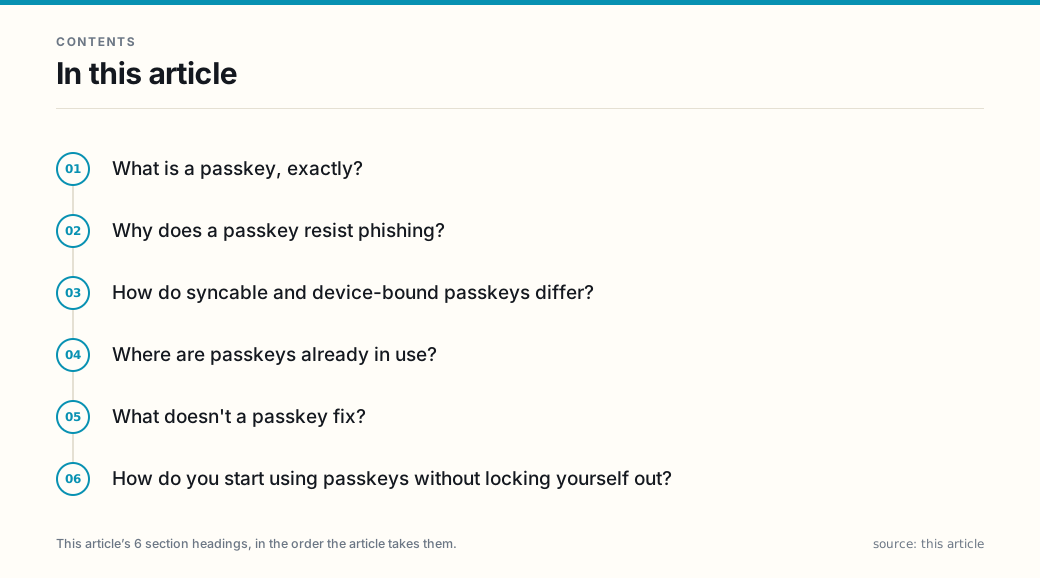
What is a passkey, exactly?
A passkey works in pairs. When you create one for a site, your device generates two linked keys. The private key stays on your devices and is never sent to the site. The site stores only the matching public key. At sign-in, the site asks your device to prove it holds the private key; your device answers with a signature that is valid only for that one site, and you approve the action with a fingerprint, face scan, or device PIN.
This is different from a password in a way that matters. A password is a secret you know and retype on whichever page asks for it. A passkey is a secret your device keeps and presents only to the site it was made for. The site’s address is part of the math, so a different site cannot get a valid response.
Why does a passkey resist phishing?
Phishing works by getting you to hand over a credential on the wrong page. A password typed into a convincing clone is a password the attacker can use. With a passkey, there is nothing to type. The signature your device produces is bound to the genuine site’s domain, and a fraudulent site gets no usable signature even if you approve the prompt, because the request did not come from the site the key was registered to.
That is also why passkeys beat one-time codes on phishing. A code sent to your phone can be relayed by a live man-in-the-middle attack that proxies your session in real time. A passkey’s domain-bound signature does not travel that way, which is the property the National Institute of Standards and Technology describes as phishing resistance in its digital identity guidelines.
How do syncable and device-bound passkeys differ?
Passkeys come in two shapes, and the difference is the most common point of confusion.
A syncable passkey travels with your account — Apple calls them iCloud Keychain passkeys, Google calls them Google Password Manager passkeys, and so on. You can sign in on a new device by signing into that same account, which is convenient and means losing one device does not lock you out. The trade is that the security of your passkeys now depends on the security of the account that syncs them.
A device-bound passkey stays on one physical device, typically a security key you plug in or tap. It does not restore from a cloud backup. That makes it harder for an attacker who only compromises your sync account to reach it, at the cost of being lost if the device is lost.
Both shapes resist the standard phishing path. They differ in what happens after you lose a device or someone breaches your sync account, not in whether a fake sign-in page can steal the credential itself.
Where are passkeys already in use?
Passkeys are built into the operating systems and browsers most people already use, which is why you are offered them rather than installing anything. The same cloud account that backs up your contacts and photos is usually the one that syncs your passkeys. That integration is the reason passkeys are spreading faster than earlier hardware-authenticator standards ever did.
When a site offers passkey sign-in, you can usually enroll it in the same menu where you would change a password or add two-factor authentication. Once enrolled, the passkey often becomes the default, and on many services the password can be removed entirely.
What doesn’t a passkey fix?
A passkey is one layer, and it is worth being precise about where it stops.
It does not protect a device that is already compromised. If malware on your phone can read what is on the screen or capture an unlock, the passkey approval is captured too. It does not defend against session-cookie theft, where an attacker who already has a live login moves through it. And it shifts the weak point toward your sync account and your device unlock, which is why those two remain worth securing with their own strong method.
None of this is a reason to avoid passkeys. It is a reason to treat them as part of a set — a strong device unlock, a secured sync account, and the passkey itself — rather than as a single switch that makes the rest of your security irrelevant.
How do you start using passkeys without locking yourself out?
The safe way to adopt passkeys is gradual. Turn one on for a service you use daily, confirm you can sign in from another device or after a restart, and keep the site’s backup method in place until you have verified the recovery path. For accounts you cannot afford to lose, such as primary email or a bank, enrolling a device-bound key as a second enrollment, not a replacement, keeps a fallback that does not depend on a single synced account.
The broader pattern is the same one that applies to every security upgrade: the step that removes the most risk is the one that closes the phishing path you were actually exposed to, and a passkey is the cleanest known way to do that for a password-based account.
Frequently asked questions
- Are passkeys safer than passwords?
- For the threat they were built to stop — phishing — yes. A password can be typed into a fake sign-in page, and one-time codes can be intercepted by a look-alike prompt. A passkey's cryptographic signature is bound to the specific site, so a scam site cannot obtain a valid one no matter what you type. Passkeys are not a cure for every threat: malware on your device, a compromised sync account, or stolen session cookies are still real risks, and a passkey does nothing about them.
- Can a passkey be phished?
- The credential itself is designed to resist the usual phishing path, because the private key never leaves your device and the signature it produces is valid only for the genuine site. The residual risk moves elsewhere: if someone gains access to the account that syncs your passkeys, or to an unlocked device, they can use the passkeys stored there. That is why device unlock (biometric or PIN) and a secured sync account matter as much as the passkey does.
- What happens to my passkeys if I lose my phone?
- If your passkeys are syncable, you restore them by signing into the same provider account on a new device — that is the trade the sync model makes. If your passkeys are device-bound, they live on one physical device and do not restore from a cloud backup, so you would fall back to whatever secondary method the site offers. For accounts you cannot afford to lose, keeping a device-bound key or another enrollment method as a backup is worth doing before you rely on a single device.
- Do I still need a password if I use a passkey?
- Increasingly, no. Many services now offer passkey-only sign-in, and others let the passkey stand in for both factors at once. Where a password is still required, the passkey typically removes the separate second-step prompt. The exact setup is per site, so check the sign-in options the service actually presents rather than assuming one model everywhere.
- Is a passkey the same thing as two-factor authentication?
- It is a form of authentication rather than a separate second step. A passkey proves possession of the key stored on your device and, on most consumer implementations, the same unlock (biometric or PIN) proves the user — so it can satisfy both factors in one action. It is not two different checks in the way an app-generated code on top of a password is; it is one phishing-resistant action that replaces them.
Sources
Each source is a primary or official reference, checked before publication. Links open the original.
- National Institute of Standards and Technology — Special Publication 800-63B, 'Digital Identity Guidelines: Authentication and Lifecycle Management' (authenticator assurance levels; verifier impersonation resistance and the phishing-resistant authenticator category; the distinction between single-factor and multi-factor authenticators and between syncable and device-bound authenticators)
- FIDO Alliance — 'Passkeys' explainer (passkeys are built on the FIDO2 / WebAuthn standard; use public key cryptography; the private key stays on the user's device while a public key is registered with the site; passkeys may be synced across the user's devices or bound to one device)
- Federal Trade Commission — consumer alert on passkeys as an easier and more secure way to sign in (the Commission's consumer-facing explanation that passkeys replace passwords and reduce the phishing risk that passwords carry)