Do you need a new router, a mesh system, or just a Wi-Fi extender?
One dead zone does not mean one product. When an extender is enough, when mesh is the right fix, and the security checks that should make the decision for you.
The decision in front of you is a Wi-Fi signal that dies in one room — the bedroom office where the video call freezes, or the upstairs room where streaming stutters — and a shelf of three different products that all claim to fix it: a new router, a mesh system, or a Wi-Fi extender. They do different jobs, and buying the wrong one is the most expensive way to learn that.
Short answer. Run two checks before you spend anything. First, a security check that can force the decision: if your current router offers only WPA or WEP encryption, or has stopped receiving firmware updates because the manufacturer ended support, the FTC and NSA guidance below says replace it — coverage is now the smaller problem. Second, a diagnosis: one weak room in a home where the router’s own spot tests fine usually points to an extender (cheap patch, one hop, some throughput cost); weak signal everywhere or across floors points to a mesh system or a better-placed new router. Wi-Fi 6E and Wi-Fi 7 matter only in the parts of the decision that touch 6 GHz — a band the FCC opened to unlicensed use in 2020 — and only for devices that support it.
What is the difference between a router, a mesh system, and a Wi-Fi extender?
The three products solve the same problem — radio signal that does not reach — at three different points.
- A router creates your network. It is the box that speaks to your internet connection and broadcasts the Wi-Fi your devices join. Buying a new one replaces the whole radio, with a newer antenna design and newer standards, but the signal still comes from wherever the box physically sits.
- A Wi-Fi extender (also sold as a repeater or booster) is a patch. It picks up your existing network’s signal and re-broadcasts it, stretching coverage into a dead zone. It does not upgrade anything else; it adds a second radio link between you and the router.
- A mesh system is several nodes that together form one network. You place nodes in different rooms, and the system manages which node your device talks to as you move. Mesh replaces the single-broadcast model with a distributed one.
The distinction that drives the purchase is placement. A router’s signal strength depends entirely on where it sits; an extender’s usefulness depends on sitting where the signal is still good, not in the dead zone itself. As a planning judgment, not a fact from any agency: one dead room is extender territory, whole-home weakness is router-or-mesh territory, and multi-floor homes with several weak spots are where mesh earns its price.
Do you actually need to buy anything?
Two checks decide this before the marketing does.
Check your household’s actual bandwidth needs. The FCC’s Broadband Speed Guide lists minimum download speeds per activity, one activity at a time: streaming Ultra HD 4K video needs 25 Mbps, HD video calls 1.5 Mbps, HD video teleconferencing 6 Mbps, online multiplayer gaming 4 Mbps, telecommuting 5–25 Mbps. The guide itself cautions that “these numbers are rough guidelines and are not based on surveys or experiments conducted by the FCC.” If your internet plan delivers far more than your household’s concurrent needs, the plan is not the bottleneck — and if speeds are slow everywhere including next to the router, the problem may be the modem, the plan, or the router’s health rather than coverage. If speeds are bad only far from the router, that is a coverage problem, and that is what this article’s three products address.
Check the router’s security state. This is the check that can force a purchase. The FTC’s Consumer Advice on home Wi-Fi is direct: encryption settings should be “either WPA3 Personal or WPA2 Personal,” and “WPA3 is the newer — and best — encryption available.” On older routers, the FTC says: “Older routers have WPA and WEP, which are outdated and not secure. If those are the only options listed, try updating your router software. Then check again to see if WPA2 or WPA3 are available. If they’re not, consider getting a new router to keep your information secure.”
The NSA’s guidance adds the second replacement trigger: routing devices on your home network “should be updated to the latest patches, preferably through automatic updates” and “should also be replaced when they reach end-of-life (EOL) for support.” A router past end-of-support stops receiving security patches entirely — no coverage add-on fixes that.
When is an extender the right answer?
An extender fits a narrow, common case: the home works, one room does not, and the budget is small. You place the extender roughly halfway — where the router’s signal is still solid — and it re-broadcasts into the dead zone.
The honest cost: every extended connection crosses two radio hops, device-to-extender and extender-to-router, so throughput at the far end is lower than a direct connection. We think of it as a relay rather than an amplifier — the signal is retransmitted, not strengthened. For a room used for browsing and email, that is fine. For the room where you stream 4K or take video calls, test the real speed after installing; if it disappoints, the room has outgrown the patch.
Two setup notes from the agencies above: keep the extender on the same firmware-update discipline as the router (the NSA’s update rule applies to all routing devices), and note that many extenders create a second network name, which means your phone may cling to the weaker network when the stronger one is available — a nuisance mesh systems are designed to avoid.
When is a mesh system the right answer?
Mesh fits the opposite case: the weakness is not one room but the building — multiple floors, exterior walls, a router stuck where the internet line enters. A mesh kit replaces the single broadcast with several placed nodes, each within good signal of at least one other, and the system handles the hand-offs.
What you are paying for beyond coverage: one network name across the house, self-managed node connections, and (in current kits) the security settings below in one admin interface. The NSA’s network-segmentation recommendation — separate networks for primary, guest, and IoT devices at minimum — is straightforward to implement on any current mesh system. If you are buying mesh because a single router at a better location would do, measure first: moving the router you already own is free.
Is Wi-Fi 6E or Wi-Fi 7 worth paying for?
This is where the government record actually matters, because the newest Wi-Fi depends on spectrum policy.
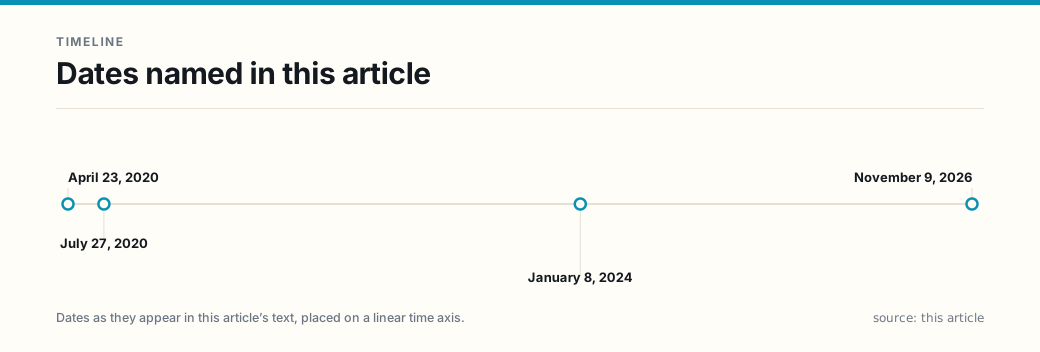
On April 23, 2020, the Federal Communications Commission adopted rules (FCC 20-51) making 1,200 megahertz of spectrum in the 6 GHz band (5.925–7.125 GHz) available for unlicensed use — “indoor low-power operations over the full 1,200 megahertz and standard-power devices in 850 megahertz,” with an automated frequency coordination system protecting incumbent licensed services from standard-power devices. The rules took effect July 27, 2020. Wi-Fi operating in this band is designated Wi-Fi 6E, and the newest generation rides it too: the Wi-Fi Alliance launched Wi-Fi CERTIFIED 7 on January 8, 2024, based on the IEEE 802.11be amendment, with headlining features including 320 MHz-wide channels — “available in countries that make the 6 GHz band available to Wi-Fi” — and Multi-Link Operation, which lets devices transmit and receive over multiple links simultaneously.
Three purchase-relevant consequences:
- 6 GHz is a short-range, wall-hostile band. Higher frequencies carry more data but penetrate walls less. The 6 GHz band rewards routers placed close to where you actually use devices, which is an argument for multiple nodes (mesh) in larger homes rather than one expensive box.
- Both ends must support 6 GHz. A Wi-Fi 6E or Wi-Fi 7 router does nothing for a device without a 6 GHz radio. Check the devices you actually own before paying for the newest generation — the router’s capability ceiling is not your network’s.
- 6 GHz runs WPA3 only. Per the Wi-Fi Alliance, “WPA3 support has been required in all new Wi-Fi CERTIFIED devices since 2020 and its use is mandatory in the 6 GHz band.” A 6 GHz network cannot host a WPA2-only device; mixed households need the WPA2/WPA3 transition mode (or a separate WPA2 network for the old hardware). This is one more reason the FTC’s WEP/WPA check above decides first: a house full of pre-WPA3 devices is not ready for a 6 GHz-only arrangement, whatever the box on the shelf promises.
What should the new router’s spec sheet list?
Whatever tier you buy, four lines on the box are the ones the federal guidance cares about:
- WPA3 support. Mandatory in 6 GHz, required for new Wi-Fi certifications since July 2020, and the FTC’s recommended setting. WPA2/WPA3 transition mode matters if older devices share the network.
- Automatic firmware updates. The NSA prefers patches delivered automatically and replaces devices when support ends. An update policy you have to chase is an update policy you will miss.
- A guest network. Both the FTC and NSA recommend segmenting visitors (and, per the NSA, IoT devices) away from your primary network.
- No legacy crutches. Plan to disable remote management, WPS, and UPnP — the FTC names all three as conveniences that weaken security — and follow the NSA’s configuration baseline: a passphrase of at least twenty characters, protected management frames enabled, the network name not hidden, and periodic reboots scheduled.
FAQ
Does an extender slow down my Wi-Fi? It adds a hop, and a hop costs throughput at the far end. For browsing and email in one dead room, you will not notice; for 4K or calls through the relay, test it. It is a patch, not an upgrade.
Is Wi-Fi 7 worth it if my phone doesn’t support 6 GHz? Not for that phone. The headline features live in 6 GHz, and both ends of the link need it. Buy for the devices you own or expect to own soon, not the label.
When should I replace my current router instead of adding to it? When it offers only WPA/WEP encryption (FTC: “consider getting a new router to keep your information secure”), or when the manufacturer has ended support and patches have stopped (NSA: replace at end-of-life for support).
Should I buy my own router or use the ISP’s? The NSA suggests a personally owned routing device connected to the ISP’s modem/router to “maximize administrative control over the routing and wireless features of your home network.” A gateway you cannot administer cannot be fully secured or updated on your terms.
What settings should I turn on or off on a new router? On: WPA3 (or WPA2/WPA3 transition mode), firewall, automatic updates, guest network. Off: remote management, WPS, UPnP. Passphrase: at least twenty characters. Do not hide the SSID.
Do I need a new router if I just upgraded my internet plan? Not just for that. The FCC’s speed guide puts 4K streaming at 25 Mbps and gaming at 4 Mbps, and HD video calls at 1.5–6 Mbps depending on the call type — demands any recent router handles. Slow speeds everywhere point at the plan, modem, or router health; slow speeds far from the router point at coverage.
Is mesh better than a single router? For multi-floor or several-dead-zone homes, yes in coverage terms, and it keeps one network name. For one weak room, an extender usually suffices. If moving your existing router to a central spot fixes it, that fix is free.
If the problem you are solving is not coverage but the network you join away from home, the honest answer is in Are public Wi-Fi networks safe? — and if it is the device list attached to your network, start with How to spot a phishing message and Which two-factor method to use — the router is the perimeter, but most compromises still walk in through a login. For the devices riding on the new network, what your smart TV and connected devices know about you covers the privacy side, and backing up your data covers the part no router protects. If you are buying other electronics the same week, the same discipline applies in Is a refurbished device worth buying?
This article is general consumer guidance about home networking equipment, written for a U.S. audience — spectrum rules, product lines and program terms differ by country, and the agency guidance quoted here reflects the documents as retrieved on November 9, 2026. Vendor naming is illustrative, not a recommendation, and no payment or product was provided in connection with this article. It is AI-written and independently AI-reviewed before publication; the review standard and this article’s findings are recorded in the network’s editorial review log.
Frequently asked questions
- Does an extender slow down my Wi-Fi?
- An extender re-broadcasts your router's signal on a second hop, and every extra hop costs time and throughput. We think of it as a relay: the device talks to the extender, the extender talks to the router, and the data crosses two radio links instead of one. For email and browsing in one dead room that cost is invisible; for 4K streaming or video calls at the far end of the relay it can be. An extender is a coverage patch, not an upgrade.
- Is Wi-Fi 7 worth paying for if my phone does not support 6 GHz?
- Not by itself. The speed features that make Wi-Fi 7 different — 320 MHz-wide channels — are only available in the 6 GHz band, and both ends of the link must support 6 GHz for a device to use them. The FCC opened 6 GHz (5.925–7.125 GHz) to unlicensed use in 2020, but a Wi-Fi 7 router does not put 6 GHz into an older phone. Buy Wi-Fi 7 for future-proofing or because many of your devices are new; do not expect an older laptop to get faster.
- When should I replace my current router instead of adding to it?
- Two government checklists say replace. The FTC's advice: if your router offers only WPA or WEP encryption — both outdated — update its software, and if WPA2 or WPA3 still is not available, 'consider getting a new router to keep your information secure.' The NSA's guidance: routing devices 'should be replaced when they reach end-of-life (EOL) for support,' because a router past its end-of-support date stops receiving security patches entirely.
- Should I buy my own router or use the one my ISP provided?
- The NSA suggests considering a personally owned routing device that connects to the ISP-provided modem/router 'to maximize administrative control over the routing and wireless features of your home network.' An ISP gateway you cannot administer — cannot see its update schedule, cannot turn off its remote-management features, cannot segment a guest network — is a box you are renting without the controls the security guidance assumes you have.
- What settings should I turn on or off on a new router?
- Turn on WPA3 (or WPA2/WPA3 transition mode if some devices are older), the firewall, automatic firmware updates, and a separate guest network. Turn off remote management, Wi-Fi Protected Setup (WPS), and Universal Plug and Play (UPnP) — the FTC lists all three as convenient features that can weaken your network's security. The NSA adds: use a passphrase of at least twenty characters, enable protected management frames, do not hide the network name, and schedule periodic reboots of the router.
- Do I need a new router if I just upgraded my internet plan?
- Probably not just for that. The FCC's Broadband Speed Guide puts typical household demands far below what any recent router delivers wirelessly: 4K streaming needs 25 Mbps, HD video calls 1.5–6 Mbps, online multiplayer gaming 4 Mbps. A router bottleneck shows up as slow speeds everywhere, not one dead room. Check what your current router actually delivers in the room where you work before attributing a problem to the plan or the box.
- Is mesh better than a single router?
- For whole-home coverage across floors or around thick walls, mesh nodes placed where the signal actually lives usually beat one router shouting from the utility closet — that is a judgment call, not a law. For a small home with one weak spot, a cheaper extender often does the job. What mesh buys you is one network: most systems manage the hand-off between nodes themselves, so a phone moving around the house stays on the same network name instead of you managing two.
Sources
Each source is a primary or official reference, checked before publication. Links open the original.
- Federal Communications Commission, news release, 'FCC ADOPTS NEW RULES FOR THE 6 GHz BAND, UNLEASHING 1,200 MEGAHERTZ OF SPECTRUM FOR UNLICENSED USE' (April 23, 2020) — the FCC 'adopted rules that make 1,200 megahertz of spectrum in the 6 GHz band (5.925–7.125 GHz) available for unlicensed use'; 'The Report and Order authorizes indoor low-power operations over the full 1,200 megahertz and standard-power devices in 850 megahertz in the 6 GHz band'; standard-power access points require an automated frequency coordination (AFC) system to protect incumbent services (docs.fcc.gov/public/attachments/DOC-363945A1.pdf)
- FCC Report and Order and Further Notice of Proposed Rulemaking, 'Unlicensed Use of the 6 GHz Band' (FCC 20-51, adopted April 23, 2020, released April 24, 2020), ET Docket No. 18-295; GN Docket No. 17-183 (fcc.gov/document/fcc-opens-6-ghz-band-wi-fi-and-other-unlicensed-uses-0); published as 85 Fed. Reg. 31390 (May 26, 2020, document 2020-11236) with 'Effective July 27, 2020' (federalregister.gov/documents/2020/05/26/2020-11236/unlicensed-use-of-the-6-ghz-band)
- Wi-Fi Alliance, 'Wi-Fi CERTIFIED 7 Technology Overview' (January 2024) — 'Wi-Fi 7 features are based on the 802.11be draft amendment from IEEE 802.11' (wi-fi.org/system/files/Wi-Fi_CERTIFIED_7_Technology_Overview_202401_0.pdf)
- Wi-Fi Alliance, 'Wi-Fi Alliance introduces Wi-Fi CERTIFIED 7' (January 8, 2024) — among the certified features, '320 MHz channels: available in countries that make the 6 GHz band available to Wi-Fi, ultra-wide channels double today's widest channel size to facilitate multigigabit device speeds,' Multi-Link Operation (MLO) allowing 'devices to transmit and receive data simultaneously over multiple links,' and 4K QAM achieving '20% higher transmission rates than 1024 QAM' (wi-fi.org/news-events/newsroom/wi-fi-alliance-introduces-wi-fi-certified-7)
- Wi-Fi Alliance, 'Driving widespread adoption of WPA3' (WPA3 Deployment Options Highlights, file dated 202602) — 'WPA3 support has been required in all new Wi-Fi CERTIFIED devices since 2020 and its use is mandatory in the 6 GHz band'; WPA3 transition mode lets WPA2-only devices connect alongside WPA3 devices on one network (wi-fi.org/system/files/WPA3_Deployment_Options_Highlights_202602.pdf)
- Wi-Fi Alliance, 'Demystifying security choices: Wi-Fi 6 and 5G' (Beacon) — 'WPA3 became required for all new Wi-Fi CERTIFIED devices 1 July 2020'; WPA3 'requires Protected Management Frames (PMF) for all network types' (wi-fi.org/beacon/the-beacon/demystifying-security-choices-wi-fi-6-and-5g)
- National Security Agency, Cybersecurity Information Sheet, 'Best Practices for Securing Your Home Network' (February 2023) — routing devices 'should be updated to the latest patches, preferably through automatic updates' and 'should also be replaced when they reach end-of-life (EOL) for support'; ensure your wireless access point is capable of WPA3, or select WPA2/3 for mixed-device networks; 'use a strong passphrase with a minimum length of twenty characters'; enable protected management frames; 'Do not hide the SSID'; segment at minimum primary Wi-Fi, guest Wi-Fi and IoT; 'consider using a personally owned routing device that connects to the ISP-provided modem/router'; disable remote administration; schedule weekly reboots (media.defense.gov/2023/Feb/22/2003165170/-1/-1/0/CSI_BEST_PRACTICES_FOR_SECuring_YOUR_HOME_NETWORK.PDF)
- Federal Trade Commission, 'How To Secure Your Home Wi-Fi Network,' Consumer Advice — 'update your router settings to either WPA3 Personal or WPA2 Personal. WPA3 is the newer — and best — encryption available'; on older routers: 'Older routers have WPA and WEP, which are outdated and not secure. If those are the only options listed, try updating your router software. Then check again to see if WPA2 or WPA3 are available. If they're not, consider getting a new router to keep your information secure'; turn off 'remote management,' Wi-Fi Protected Setup (WPS), and Universal Plug and Play (UPnP); set up a guest network; turn on the router firewall (consumer.ftc.gov/articles/how-secure-your-home-wi-fi-network retrieved November 9, 2026)
- Federal Trade Commission, 'Securing Your Internet-Connected Devices at Home,' Consumer Advice — 'The key to privacy in the Internet-of-Things (IoT) world is your router'; change default administrative username, password and network name; keep checking for hardware and software updates (consumer.ftc.gov/articles/securing-your-internet-connected-devices-home retrieved November 9, 2026)
- FCC, 'Broadband Speed Guide' — minimum download speeds per single activity: 'Streaming Ultra HD 4K Video: 25' Mbps; 'Streaming High Definition (HD) Video: 5 – 8' Mbps; 'Streaming Standard Definition Video: 3 – 4' Mbps; 'HD Personal Video Call: 1.5' Mbps; 'HD Video Teleconferencing: 6' Mbps; 'Online Multiplayer: 4' Mbps; 'Telecommuting: 5 – 25' Mbps; the guide cautions 'These numbers are rough guidelines and are not based on surveys or experiments conducted by the FCC' and that speeds assume one activity at a time (fcc.gov/consumers/guides/broadband-speed-guide page dated July 18, 2022)
- Wi-Fi Alliance, 'The state of connectivity: Wi-Fi momentum in 2024' (Beacon) — Wi-Fi operating in the 6 GHz band 'is designated as Wi-Fi 6E and Wi-Fi 7' (wi-fi.org/beacon/the-beacon/the-state-of-connectivity-wi-fi-momentum-in-2024)